
Understanding these risks is critical in today’s cyber threat landscape, whether you are an individual user or a firm that uses Managed Security Services for a small firm.
What Is the Microsoft Account Team Email Scam?
The Microsoft Account Team email scam is a sophisticated phishing effort that impersonates Microsoft emails to steal critical customer data. Microsoft branding, formatting, and professional tone are used to make these phony emails look real.
The notification usually alleges suspect sign-in behavior, password expiration, odd billing, or account suspension. The idea is to instill urgency and panic so recipients click on a malicious link without verifying it.
The link takes the victim to a bogus Microsoft login page that looks real. Attackers steal usernames, passwords, and multi-factor authentication codes instantaneously. From there, fraudsters can access email, cloud storage, company systems, and financial data.
AI-generated material, accurate domain spoofing, and customized messaging make these schemes more plausible in 2025. This malware targets human trust and urgency rather than technological flaws, making it particularly hazardous.
How the Scam Works
- You receive an email claiming to be from the “Microsoft Account Team.”
- The email suggests urgent action, such as verifying a login attempt or resetting your password.
- Embedded links direct you to a fake Microsoft login page designed to harvest credentials.
- Once you enter your username and password, attackers gain immediate access to your account.
Microsoft Account Team Email Scam Example
Here’s a realistic example of what victims commonly receive:
Subject: Unusual Sign-in Activity Detected
From: Microsoft Account Team security-alert@micr0soft-login.com
Someone tried to check in from an unexpected location, thus the email says to “Verify Now” within 24 hours to avoid suspension.
Branding appears authentic. The logo looks official. Urgent but professional tone. The sender domain is phony, and the verification button opens a fake login page.
Microsoft Account Team Email Text Sample
Below is a sample phishing email format used in 2025:
Dear User,
We detected unusual sign-in activity on your Microsoft account from Russia.
If this was not you, please verify your identity immediately to prevent account suspension.
Click here to secure your account: [Verify Now]
Microsoft Account Team
Notice the vague greeting (“Dear User”), the urgency, and the suspicious login location. These are all common phishing tactics.
Is Microsoft Account Team Email Legit?
Many users search: “Is Microsoft Account Team email legit?”
Yes, Microsoft does send legitimate security alerts. However:
- Real emails come from official domains like microsoft.com
- They never ask for your password via email
- They direct you to sign in through official channels
If unsure, never click the link in the email. Instead, manually type microsoft.com into your browser and check your account notifications directly.
Microsoft Unusual Sign-in Activity Email Scam
One of the most widespread versions is the “Unusual Sign-in Activity” scam.
Attackers claim your account was accessed from a foreign country and demand immediate verification. Because users fear account compromise, they act quickly. This is exactly what scammers want.
These campaigns have grown more sophisticated in 2025, often using AI-generated content to mimic official tone and formatting.
Red Flags to Watch Out For
-
Suspicious sender addresses:
One of the simplest giveaways is the email address itself. While the display name may imply Microsoft Account Team, the sender’s address may be from a weird domain, such as support@micr0soft-login.com rather than @microsoft.com. Cybercriminals frequently substitute characters (such as “0” for “o”) or add extra words to deceive rapid readers.
-
Poor grammar or unusual formatting:
Microsoft invests heavily in polished communication, so grammatical mistakes, typos, or odd sentence structures should raise red flags. Similarly, formatting inconsistencies—such as mismatched fonts, oversized buttons, or strange color schemes—signal that the email may not be authentic.
-
Links leading to fake login pages:
The most dangerous element of these scams is the link. By hovering your cursor over the hyperlink (without clicking), you can preview the destination. If it doesn’t clearly point to an official Microsoft domain, it’s a phishing trap. Many fraudulent URLs contain extra characters, random strings, or end in unusual extensions.
-
Requests for personal or financial information:
Microsoft will never request sensitive information, such as passwords, Social Security numbers, or credit card information, over email. Any message that prompts you to “verify your identity” or “confirm your billing details” via a link is almost definitely false.
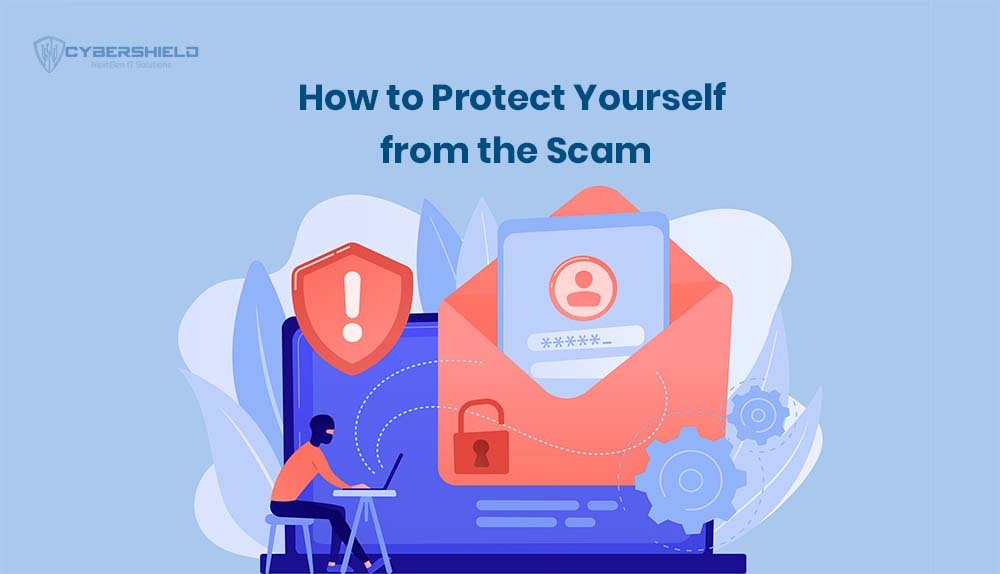
How to Protect Yourself from the Scam
Protecting yourself from the Microsoft Account Team email scam in 2025 requires a mix of awareness, smart habits, and the right security tools. Here are some best practices for both individuals and businesses:
-
Enable Multi-Factor Authentication (MFA)
MFA continues to be one of the most effective anti-phishing strategies. Even if fraudsters manage to obtain your password, they will be unable to access your account without the second tier of authentication, such as a cellphone number or biometric verification. For enterprises, using MFA across all employee accounts greatly minimizes the danger of account takeover.
-
Verify email sources before clicking
Always take a few seconds to hover over sender addresses and embedded links. A genuine Microsoft communication will come from a legitimate domain such as @microsoft.com or @outlook.com. Anything else, even if it looks almost identical, is a red flag. Pausing before clicking is often enough to spot a scam.
-
Report suspicious emails to Microsoft
Don’t just delete phishing attempts. Forward them to reportphishing@microsoft.com. Doing so helps Microsoft track and shut down large-scale scams more quickly, reducing the number of potential victims. For organizations, encouraging employees to report suspicious emails internally also strengthens overall security awareness.
-
Use email security filters
Advanced email filtering systems are particularly important for organizations. A Managed IT Shield Provider may assist with deploying systems that automatically detect and stop phishing attempts before they reach inboxes.
Working with a Managed Security Services provider, such as Cybershield IT, provides small businesses with enterprise-grade protection without the cost of establishing an in-house security staff.
Legit Microsoft Email vs Phishing Email
| Legit Microsoft Email | Phishing Email |
| Sent from the official microsoft.com domain | Sent from lookalike domains (micr0soft, micros0ft-security, etc.) |
| Addresses you by name | Uses generic greetings like “Dear User.” |
| No request for a password via email | Directs you to enter credentials immediately |
| Links clearly point to the official domain | Links contain strange characters or shortened URLs |
| Calm, professional tone | Urgent, threatening language |
Risks of Falling Victim
- Account takeover and identity theft: Attackers can access Outlook, OneDrive, and even Azure accounts, stealing both personal and professional data.
- Financial loss and fraud: Stolen credentials can lead to unauthorized purchases, wire fraud, or fraudulent use of stored payment details.
- Business security breaches: For organizations, compromised accounts open the door to ransomware attacks, insider threats, and data breaches in finance or other regulated industries.
The Microsoft Account Team email scam in 2025 is more dangerous than ever, fueled by AI-driven tactics and global targeting. But awareness, vigilance, and proactive security measures remain the strongest defense.
What to Do If You Clicked the Link
If you clicked a phishing link but did NOT enter your password:
- Close the browser immediately
- Clear your browser cache
- Run a full malware scan
- Change your Microsoft password as a precaution
Acting quickly can prevent further compromise.
What If You Already Entered Your Password?
If you already entered your password, immediate action is critical:
- Change Your Password Immediately
Reset your Microsoft password from the official website. Choose a strong, unique password that you don’t use elsewhere.
- Enable Multi-Factor Authentication (MFA)
MFA adds an additional security layer. Even if attackers have your password, they cannot access your account without the second authentication factor.
- Review Account Activity
Check recent login attempts, unfamiliar devices, and security changes. Remove any suspicious recovery email addresses or phone numbers.
- Inform Your IT or Security Team
If this occurred on a work account, notify your IT department immediately. Early reporting can prevent wider business compromise.
- Run a Malware Scan
Use trusted antivirus software to scan your system for keyloggers or malicious programs that may have been installed.
Working with trusted partners, such as Managed IT Service providers, individuals, and businesses, can stay ahead in an evolving cyber threat landscape.
Cybershield IT helps companies improve their defenses by providing Managed Security Services for Small Business, sophisticated monitoring, and actionable cybersecurity metrics to prevent events from escalating.